Zoomies brand
The identity is a fast-moving black-and-white cocker spaniel running inside a circular swish, paired with the Zoomies wordmark. A dog doing zoomies in circles is runners executing jobs quickly; that is the whole idea, and it is why the mark is never rotated: the circular movement already communicates speed.
Personality: fast, playful, capable, technical, friendly.
Branding Guide v3.0 is the authority.
This page records what the product actually does with it, and
ui-guidelines.md is where the derived design tokens live.
Asset provenance is recorded in
ASSET_MANIFEST.json.
Colour
The core palette is monochrome. The accent exists for the product UI only; the logo stays monochrome, always.
| Name | Value | Where it is used |
|---|---|---|
| Zoomies Black | #080808 |
Dark backgrounds and the sign-in page's logo stage |
| White | #FFFFFF |
Surfaces in the light theme, and the knockout mark |
| Cool Grey | #B9BCC2 |
Secondary text in the dark theme |
| Mid Grey | #666A73 |
Secondary text in the light theme |
| Runner Blue | #2F80ED |
The interactive accent, see the note below |
| Fast Cyan | #22D3EE |
The busy runner state, and nothing else |
| Paw Black | #000000 |
The official favicon and smallest-size artwork |
They are available in brand/brand-tokens.json and as CSS custom properties
(--z-brand-black, --z-brand-runner-blue, …) at the top of
web/src/lib/styles/tokens.css.
Two decisions worth explaining
Runner Blue is darkened for interactive use. #2F80ED is 3.87:1 on white.
That is fine for a large shape but fails WCAG AA for 13px text, and it fails for
white text on a button. So --z-accent is a darkened Runner Blue (#1A63D8,
5.5:1) and the pure brand blue is kept for illustrative fills where 3:1 is the
bar. The dark theme lifts it the other way, to #78B4FF at 9.2:1.
Fast Cyan is spent on one thing. The brand guide says to use the accent sparingly. In an operations dashboard the single most valuable "look here" signal is this runner is executing a job right now, so that is what Fast Cyan marks, and nothing else does.
Logo system
Use the artwork in this order. Moving down the list is a response to less available space; it is not a choice between interchangeable logos.
| File | Use |
|---|---|
brand/logo-black-transparent.svg |
Primary full logo on the selected pale backdrop in both themes |
brand/logo-light-background.png |
Primary full logo on white or a very light ground |
brand/logo-white-transparent.png |
Legacy white export, retained for compatibility |
brand/mark-dark.png, brand/mark-white-transparent.png |
Running spaniel emblem where the name is already visible |
brand/paw-swish-black.png, brand/paw-swish-white.png |
Favicons and equivalent tiny UI marks from 16–64px only |
brand/wordmark-dark.png, brand/wordmark-white-transparent.png |
The wordmark alone |
brand/github-avatar.png |
Running spaniel artwork with safe space for GitHub's circular crop |
brand/github-social-preview.png |
1200×630 GitHub social preview |
brand/social-card.png |
1200×630 Open Graph sharing image |
The product's own copies live in web/public/ and are the sizes the app
actually serves: favicon.ico (16/32/48), favicon-16.png, favicon-32.png,
apple-touch-icon.png, icon-192.png, icon-512.png, the dedicated
maskable-icon-512.png, and the web UI assets under brand/.
The app serves the full logo and emblem as SVG paths. It keeps the original
black artwork on a pale backdrop in both themes. Settings, Appearance offers
Orbital haze (the default), Starlight, Pearl veil, White square and
White circle. The selection stays in this browser, survives sign-out and
applies to the main logo, including the login screen on portrait phones.
Paw icons retain their original appearance, without a decorative backdrop.
The first three use detailed atmospheric artwork: textured pearl mist, a dense
star field and luminous orbital trails. The lossless WebP backdrops are served
locally from brand/backdrops/ and remain separate from the original logo.
Every size of the main logo uses the same artwork. The last two use simple white insets.
No logo animation or remote asset request is needed.
The existing white assets remain available for compatibility.
| Transparent artwork | Formats |
|---|---|
brand/logo-black-transparent, brand/logo-white-transparent |
.svg, .png |
brand/mark-black-transparent, brand/mark-white-transparent |
.svg, .png |
brand/wordmark-black-transparent, brand/wordmark-white-transparent |
.svg |
brand/app-logo.png is the running spaniel GitHub avatar with circular-crop safe
space. An App manifest cannot carry a logo, so the connect flow hands the
operator this file and a link to the page that takes it; without it the App
wears GitHub's grey default and signs every "Set up job" line anonymously.
That is one step in a wizard somebody sees once, so it is also on every installation's card on the Installations page, with the same download and the same link, until it is dismissed. Whether an App has an avatar is not something GitHub will tell us -- its API serves a generated identicon for an App without one, indistinguishable from an upload -- so the reminder is offered rather than detected, and the operator is the one who says it is done.
To set it by hand: open the App's settings (Installations -> the connection ->
Open the App's settings, or https://github.com/organizations/<org>/settings/apps/<app>
for an organisation App and https://github.com/settings/apps/<app> for a
personal one) and upload brand/github-avatar.png under Display
information. GitHub crops it to a circle, which the file already allows for.
The badge

A repository whose CI runs on Zoomies can say so with the badge, served from
https://zoomies.sh/badge.svg. It is the paw/swish on Zoomies Black beside
"CI", and "has the zoomies" on Runner Blue; the three colours the guide
gives a badge, and the one thing the identity is about: a dog doing zoomies
is CI running fast.
The migration wizard adds that line to each
repository it moves, unless the operator unticks it. The file is
docs/badge.svg in the repository, published by the site from there so the
one a contributor edits is the one every README shows; the product's own copy
under web/public/brand/ is what the review step previews, because a
self-hosted controller does not fetch from zoomies.sh to draw its own screen.
It is a self-contained SVG on purpose. A README badge is fetched through
GitHub's image proxy, which follows no stylesheet, no web font and no second
request, so the mark is carried inline as a tiny PNG made from
paw-swish-white.png and the text is pinned to a width so it lays out the
same whichever font a viewer has. Do not recolour it, and do not draw a second
one: a badge in different colours on different READMEs is not a brand.
Using the system in the product
The full primary logo appears on the sign-in, first-run, boot and connection failure screens (the screens that open the product) and it is given room on them: a nominal 220px on the sign-in page, plus room for its atmospheric backdrop. The artwork keeps its black colouring and is capped at the width of its container, so a phone does not overflow. The artwork carries its own clear space, so the canvas is deliberately larger than the dog inside it; that padding is part of the supplied file and is not cropped away.
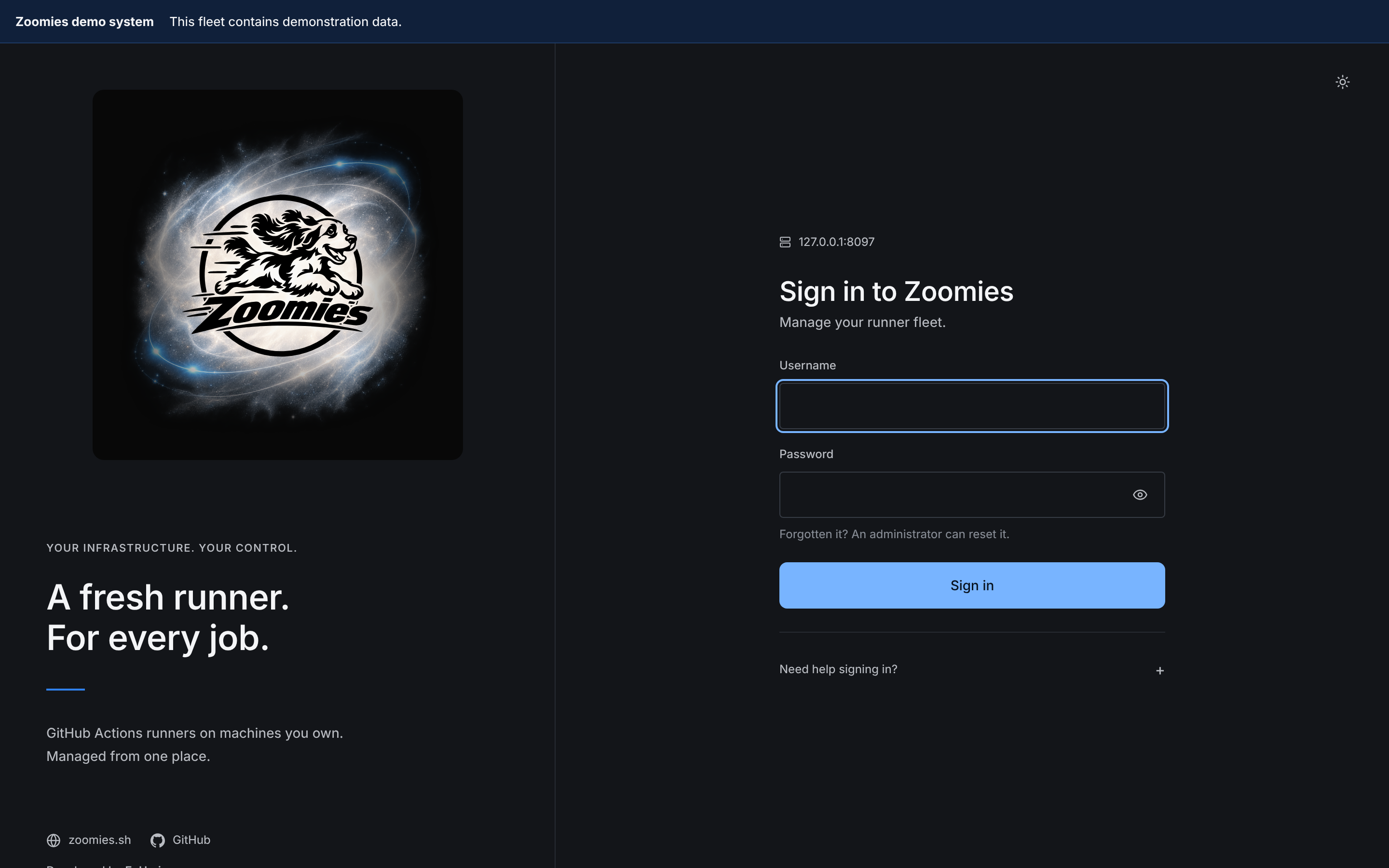
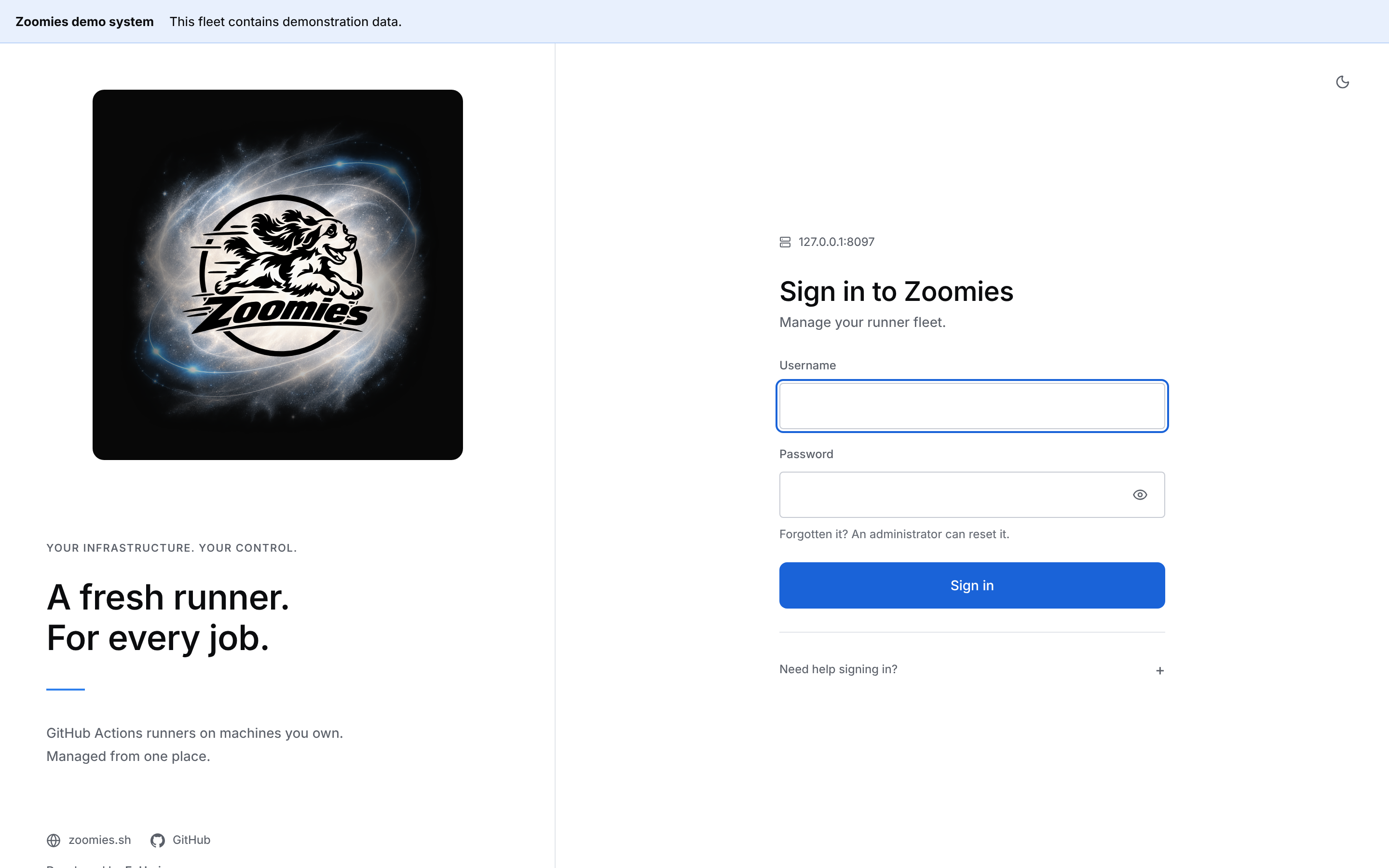
The sign-in page is the one screen where the brand gets a column rather than a shape. It is the page met by people who did not install the controller (somebody sent its address by the colleague who did) so the left of it says what they are looking at: the lockup, a short introduction and links to zoomies.sh, the source on GitHub and EyUp.io. The original black artwork uses the backdrop selected in Appearance, and sits on a stage: a rounded square of Zoomies Black around the lockup, the same in both themes, because the backdrop is a glow drawn for a dark ground. The stage is as wide as the lockup and no wider; the column around it, and the words on it, follow the selected theme like the form.
On a phone the column comes apart: the full lockup, its selected backdrop and its stage stay above the form, scaling together to fit narrow screens, and the links move below the form. The first-run screen stays a card. Only the person who has just installed the controller ever sees it, and they already know what it is.
The running spaniel emblem carries Settings → About at 128px, its minimum size; the one identity slot in the signed-in product with room for the primary mark, and the page that is about the product rather than about the fleet. The paw/swish carries everything up to its 64px maximum: the navbar, where the detailed dog does not read clearly, and genuinely tiny placements such as the mobile top bar, page footer and command palette. The running-spaniel emblem keeps the original black artwork on the selected pale backdrop in either theme. Paw icons keep the original black variant in light mode and the white variant in dark mode, with no backdrop. The sign-in panel stays dark and uses the same saved treatment for the main logo.
Once somebody is signed in, the identity is carried in these quieter places:
| Where | What |
|---|---|
| The navigation masthead | 32px paw/swish beside the name and descriptor; icon alone when collapsed |
| The top bar, on a phone | Paw/swish, because the masthead is not on screen there |
| The foot of every page | Paw/swish, name, running version and descriptor |
| The command palette | Paw/swish and name beside the key hints |
| Settings → About | 128px standalone dog beside the name, descriptor and a one-line description of the product |
The interface descriptor is set separately in Inter: small, uppercase and letter-spaced. The logo artwork contains only the dog and Zoomies wordmark.
Names from the kennel
The mark is a cocker spaniel, so the names the product invents come from one.
The pool editor opens with a name already filled in: the brand, a spaniel from
web/src/lib/pools/names.ts, and what the pool will actually run on --
zoomies-truffle-docker-linux. The kennel half is what makes one pool tellable
from another in a list; the infrastructure half is what an operator wants to
know before sending a job to it.
The zoomies- prefix is not decoration and is never dropped: in GitHub's own
runner settings it is the only thing distinguishing our runners from anyone
else's. So the name is offered and the prefix is not. The dice roll another
name and a name typed over is left alone, but a name given without the brand
gains it -- in the editor's field as soon as it loses focus, and again in the
store, so that a pool created from the CLI, the API or an answer file is
branded exactly as one created from the editor is.
Animated homepage logo
The homepage closes on the approved black logo over the Orbital haze backdrop, in
both schemes, exactly as the sign-in page shows it
(brand/backdrops/orbital.webp, drawn by CSS and never baked into the
artwork). It gives the logo a gentle whole-artwork movement.
It does not slice or reshape the dog. The old anatomy-specific animation has
been retired because its clips belong to the previous design.
The reduced-motion preference, off-screen pause and instant navigation cleanup
remain supported. Without JavaScript the logo is static.
The treatment lives in overrides/partials/animated-logo.html,
docs/stylesheets/animated-logo.css and docs/javascripts/animated-logo.js.
Clear space and minimum sizes
- Full logo clear space: the height of the O in the wordmark on every side.
- Standalone mark clear space: at least 12.5% of its longest dimension. The supplied square icon files already include this padding; do not crop it away.
- Primary full logo: 220px wide minimum.
- Circular dog mark: 128px square minimum.
- Paw/swish: 16px square minimum and 64px maximum.
Do and do not
Do
- Use the original black artwork on the selected pale backdrop in both UI themes.
- Keep the detailed atmospheric backdrop separate from the logo itself.
- Use the original standalone dog for avatars, touch icons, PWA icons and social artwork.
- Use the paw/swish only for favicons and equivalent tiny UI marks.
- Keep every mark's supplied swish and safe padding intact.
Do not
- Stretch or skew the artwork.
- Recolour any part of the dog.
- Apply a shadow, gradient, glow or filter to the logo itself.
- Put the black artwork directly on a dark background without its pale backdrop.
- Rotate the mark.
- Promote the paw/swish into a primary or social logo.
Typography
Inter for the interface, with Geist and system-ui as the sanctioned
alternatives, and JetBrains Mono for logs, identifiers and durations. Both
are self-hosted as woff2 so an air-gapped install makes no third-party font
request. The wordmark in the artwork is custom-rendered and is not Inter, do
not try to set it in type.
Naming
| Product | Zoomies |
| Descriptor | Self-hosted Git runners |
| CLI | zoomies |
| Service | zoomies (controller), zoomies-agent (agent) |
| Config directory | /etc/zoomies as root, ~/.config/zoomies otherwise; see Where things live |
| Container images | ghcr.io/eyupio/zoomies, ghcr.io/eyupio/zoomies-agent, ghcr.io/eyupio/zoomies-runner, ghcr.io/eyupio/zoomies-runner-docker |
| Runner names | zoomies-4vcpu-ubuntu-2404-fido-a3f9qz2m; the brand, the pool's shape, the host and a token |
| Pool names | zoomies-truffle-docker-linux; a name given without the prefix gains one |
| Pool labels | zoomies-linux-x64, zoomies-gpu; every pool also answers to zoomies |
| Migration branch | zoomies/migrate-runners-<timestamp> |
On somebody else's screen
Two of those names are read far more often outside Zoomies than inside it: the
runner name, which GitHub prints in its runner list and in every job's "Set up
job" step, and the pool label, which has to be written into runs-on in every
workflow in the organisation. Both start with the product name, and neither
carries anything a reader would have to decode. The runner name carries the
pool's shape rather than the name somebody invented for it, because a reader
on GitHub is there precisely because they do not yet know what they are looking
at, and when it will not fit, the shape is what gives way rather than the
brand. See Naming and platforms.
internal/store/brand.go is the one place these are spelled out;
web/src/lib/brand.ts is the browser's copy of it.
Sharing and discovery
Most people meet Zoomies on somebody else's screen: a controller their colleague installed, or a link pasted into a chat window. Two places carry the identity outwards, and both are part of the brand rather than an afterthought.
A controller's own page. web/index.html carries Open Graph and Twitter
card tags, brand/social-card.png as the card image, and a link to
zoomies.sh on the sign-in page's brand panel, beside the
source on GitHub, and in the footer of every signed-in page, each beside the
credit Developed by EyUp.io.
Both addresses come from web/src/lib/links.ts, and the site's footer prints
the same credit from extra.developer in mkdocs.yml, so the product and the
site say the same thing about where they came from. og:url and og:image have to be absolute for a preview to
render at all -- the service fetching the page is not a browser and has no base
to resolve a relative path against -- so the controller substitutes
server.external_url into them when it starts. An instance that has not been
told its own address keeps relative paths rather than guessing at one.
The site. overrides/main.html extends the Material theme with the same
tags, derived per page, plus a SoftwareApplication description in JSON-LD on
the home page. Material's own social plugin is not used: it renders a card
image per page with Cairo and Pillow, which is two native libraries in the docs
build for a picture the brand pack already supplies.
For print, signage or merchandise
The SVG files in the original pack are raster wrappers, not true vector redraws. For large-format work, commission a proper vector redraw from the approved masters rather than enlarging them.